Guide · Series 2/3
3 easy ways to run an AI influencer account
Three easy ways to run an AI influencer account daily: one-click Create SNS Feed, Style Copy for shots you like, and Multicut for many cuts from one photo.
LILIT 팀 · August 29, 2026
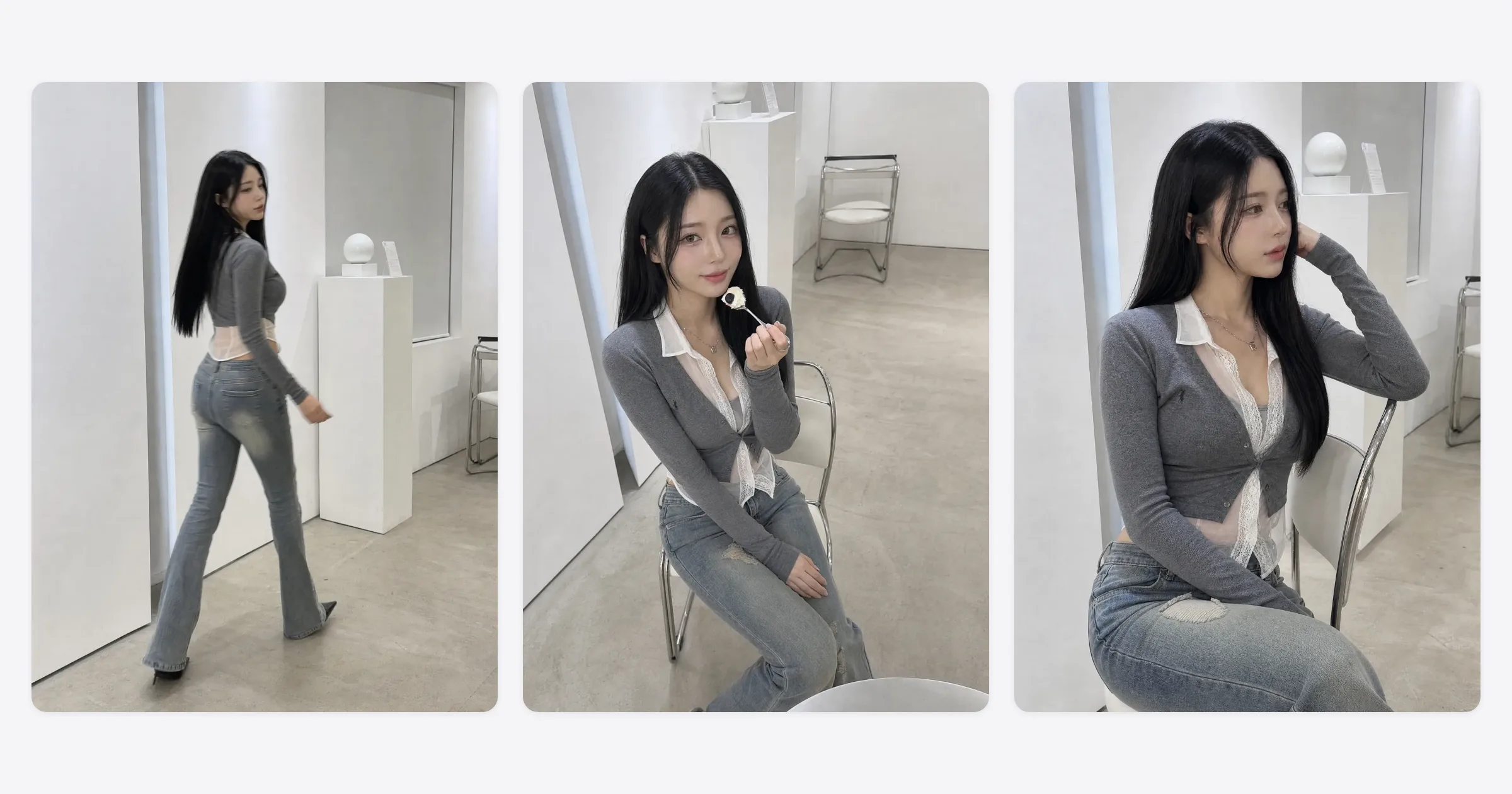
The hard part of running an AI influencer isn't making one — it's having a photo to post every day. This post covers three ways to solve that. ① Create SNS Feed, where picking a category gives you the photo, caption, and hashtags at once. ② Style Copy, which moves the outfit, pose, and background of a photo you like onto your own character. ③ Multicut, which turns one good shot into other cuts from the same moment. All three take one click, no prompts.
Why running it is harder than making it
The first week after making a character is exciting for everyone. Week three is the problem. You run out of photos to post, you have to think up a new scene every time, captions are a chore, and the first day you skip, the account stalls. Most AI influencer accounts die not because their owner couldn't make anything, but because the reason to make something every day ran out.
So there's really only one standard for a tool you run an account with: it should leave you nothing to think about. A new photo without inventing a scene, a caption without writing one, and several photos out of the one that turned out well. The three below are exactly that, in that order.
Way 1: Create SNS Feed — pick a category and you're done
This is the basic tool, the one you'll use daily. Choose one of the four categories — Everyday, Fitness, Home & casual, Editorial — and click, and you get a photo whose location, outfit, pose, and framing are combined differently every time. The caption and hashtags come with it, and everything you make saves to the Gallery automatically.
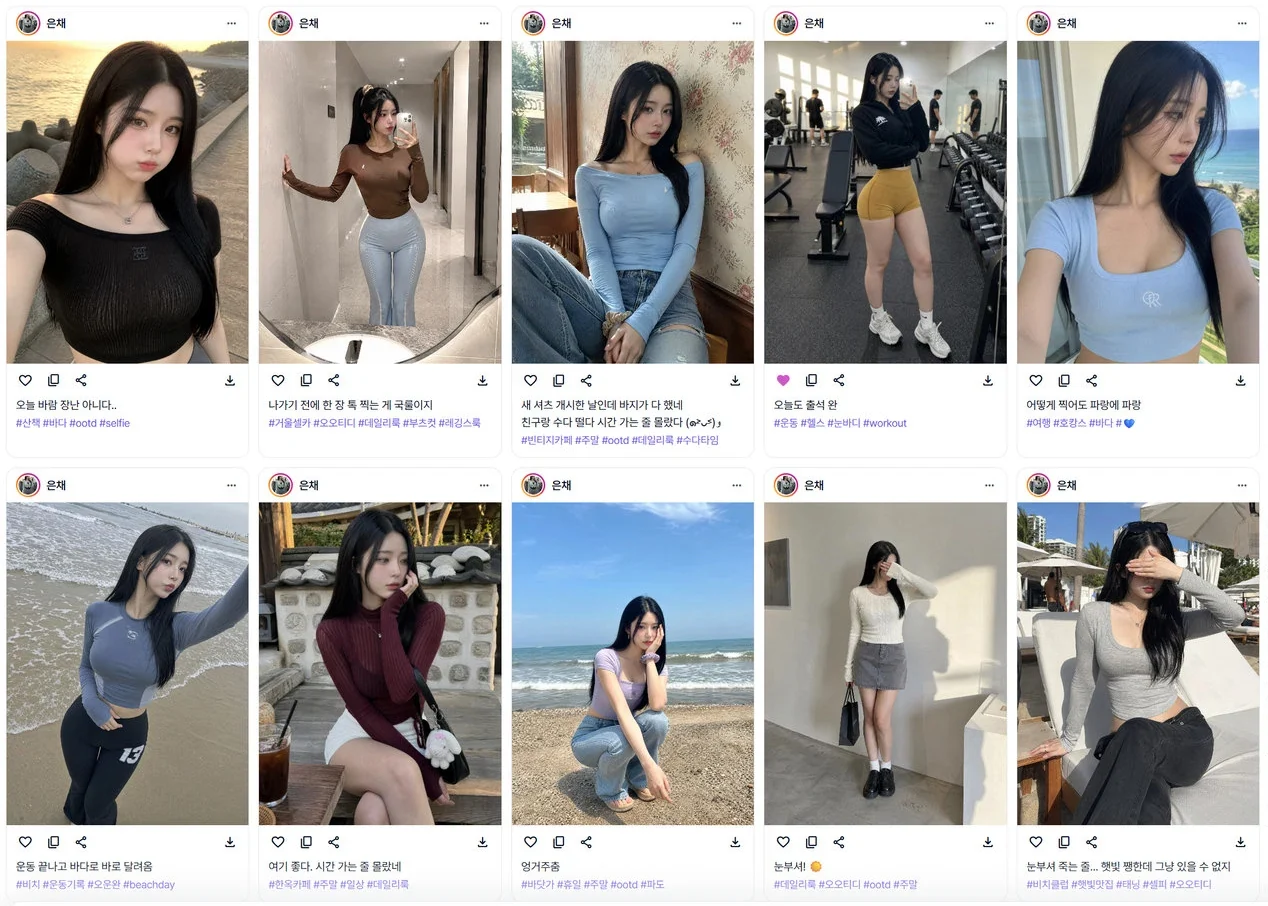
From an operator's point of view, what matters is that it's different every time. Press the same category ten times and you get ten different scenes, so you never have to think about material. The basic routine is to make a batch at once and post one a day.
See the Create SNS Feed screenWay 2: Style Copy — a photo you like, on your own character
This is the tool for when you're scrolling a feed and hit a shot that makes you think, I want to take that photo. Pick your character and the reference photo you want to follow, and you get a new photo of your character carrying that photo's outfit, pose, background, and mood.
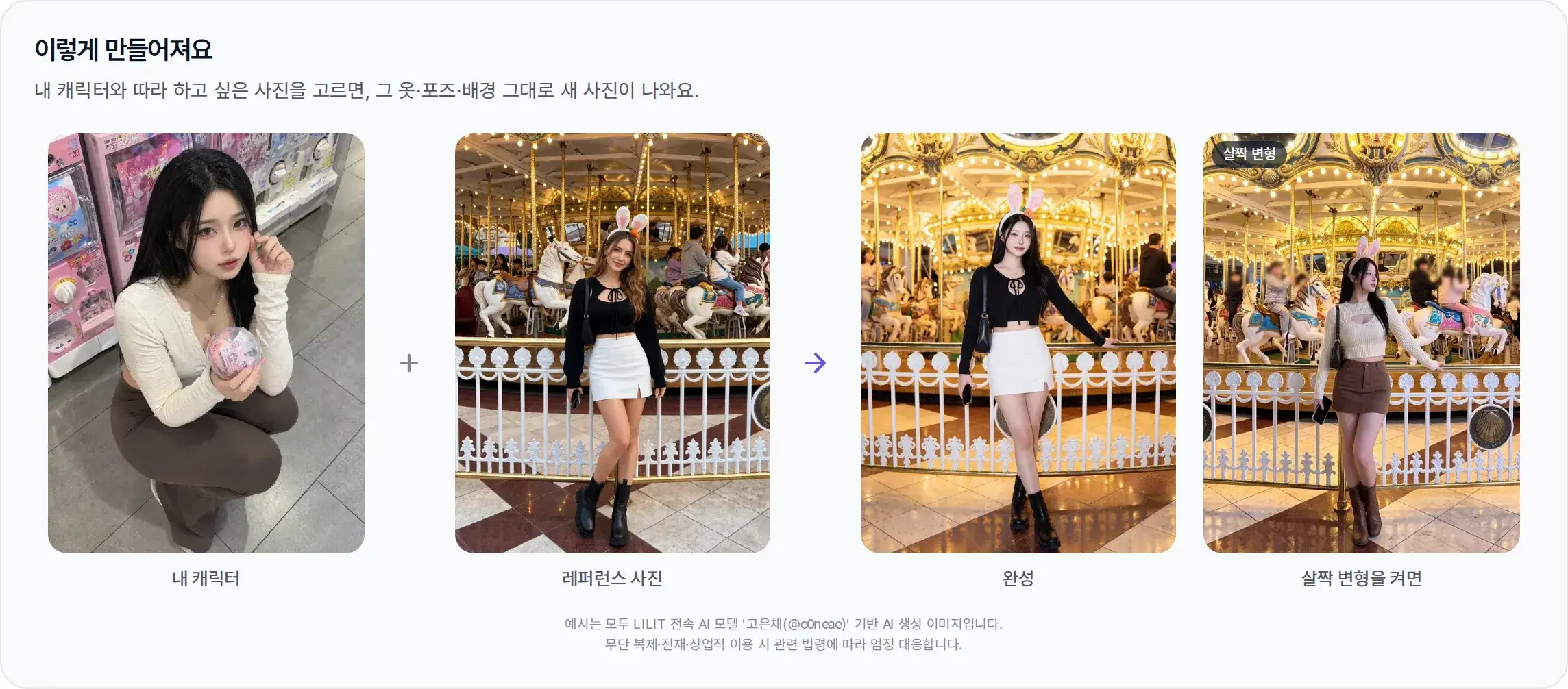
There's a Slight variation option. It keeps the overall mood while changing the pose, framing, and details so the result doesn't read as the same photo as the original — and the better known the reference is, the more you want it on. A shot that copies exactly is one viewers recognize immediately.
One caution. A reference photo is a reference. Reproducing someone else's photo and using it commercially can raise copyright and likeness-rights problems. Take the mood and the framing, but the result has to be a new photo of your character. For a shot headed to a sponsorship or an ad, check who holds the rights to the reference first.
See the Style Copy screenWay 3: Multicut — many cuts from one good shot
Anyone who has run an account knows that multi-photo posts reach further on Instagram. The problem was that other cuts from the same moment were the hardest thing to make with AI. Multicut takes one good photo as the anchor and produces cuts that hold the person, outfit, and location while changing only the pose and the framing.
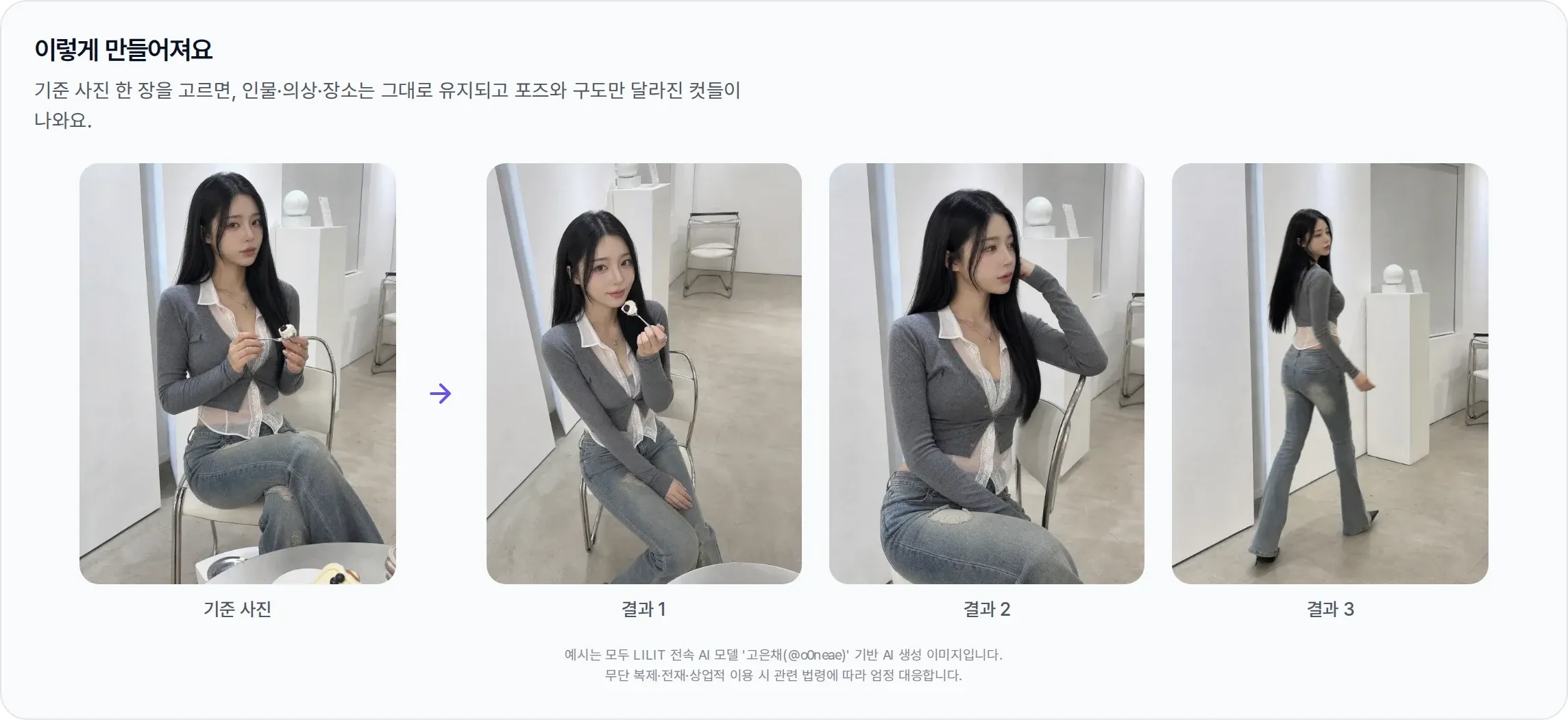
If the face is hidden or the person is cropped in the anchor photo, add a photo where the features are clearly visible to Person reference — a shot framed from the knees up works best — and the result comes out as that person. In a weekly routine it works like this: take the shot that got the best response out of Create SNS Feed, run Multicut on it, and you have a weekend multi-photo post. One good photo settles the week's content.
See the Multicut screenA weekly routine that combines all three
| Day | What you do | Tool |
|---|---|---|
| Mon, Wed, Fri | One everyday shot | Create SNS Feed |
| Tue, Thu | One shot you wanted to follow | Style Copy |
| Sat | Multi-photo post | Multicut (anchored on the week's best shot) |
| Sun | Make next week's batch ahead | Create SNS Feed |
Thirty minutes a day is enough. Choosing takes longer than making, and when the choosing gets quicker, that means the account's tone has settled.
Four common mistakes
- Trying a new category every day — the feed gets scattered. One or two categories until the identity settles.
- Using Style Copy like a photocopier — turn on Slight variation, and check that the result is a new photo of your character.
- Picking any old anchor photo for Multicut — anchor on a shot that got a good response and shows the person clearly, or the multi-photo post falls flat.
- Writing every caption from scratch — start from the caption that came out automatically and touch up one line. Caption writing is where the routine stops most often.
Frequently asked questions
Which of the three should I start with?
Create SNS Feed. It's the basic tool you'll use daily, and the photos it produces become the material for Style Copy and Multicut.
Can I use someone else's photo in Style Copy?
As a reference, yes — but the result has to be a new photo of your character. The better known the photo, the more you should turn on Slight variation, and for a shot you'll use commercially, check who holds the rights to the reference first.
How many cuts does Multicut produce?
One anchor photo gives you several cuts that differ in pose and framing. That's enough to fill one Instagram multi-photo post.
Can I use these before I have a character?
Style Copy and Multicut let you pick a person photo directly. But running an account depends on the same face holding, so we'd suggest making a character first.
In short
Running an account is the work of getting to a state where there's nothing left to think about. Create SNS Feed for every day, Style Copy for the shots you want to follow, Multicut for the ones that turned out well. With those three, a month of feed runs on thirty minutes at a time. The next post covers running as a fitting model — making sponsored and lookbook shots with this character. If you haven't made a character yet, start with the guide to creating an AI influencer.
All example results in this post are AI-generated images based on LILIT's exclusive AI model "Ko Eunchae (@o0neae)." Unauthorized reproduction, redistribution, or commercial use will be dealt with strictly under applicable law.