Guide · Series 1/3
How to create an AI influencer — the complete guide (2026)
Create an AI influencer with one click, no prompts: face, daily feed photos, captions, hashtags — from accounts we actually run. Browse without signing up.
LILIT 팀 · August 29, 2026
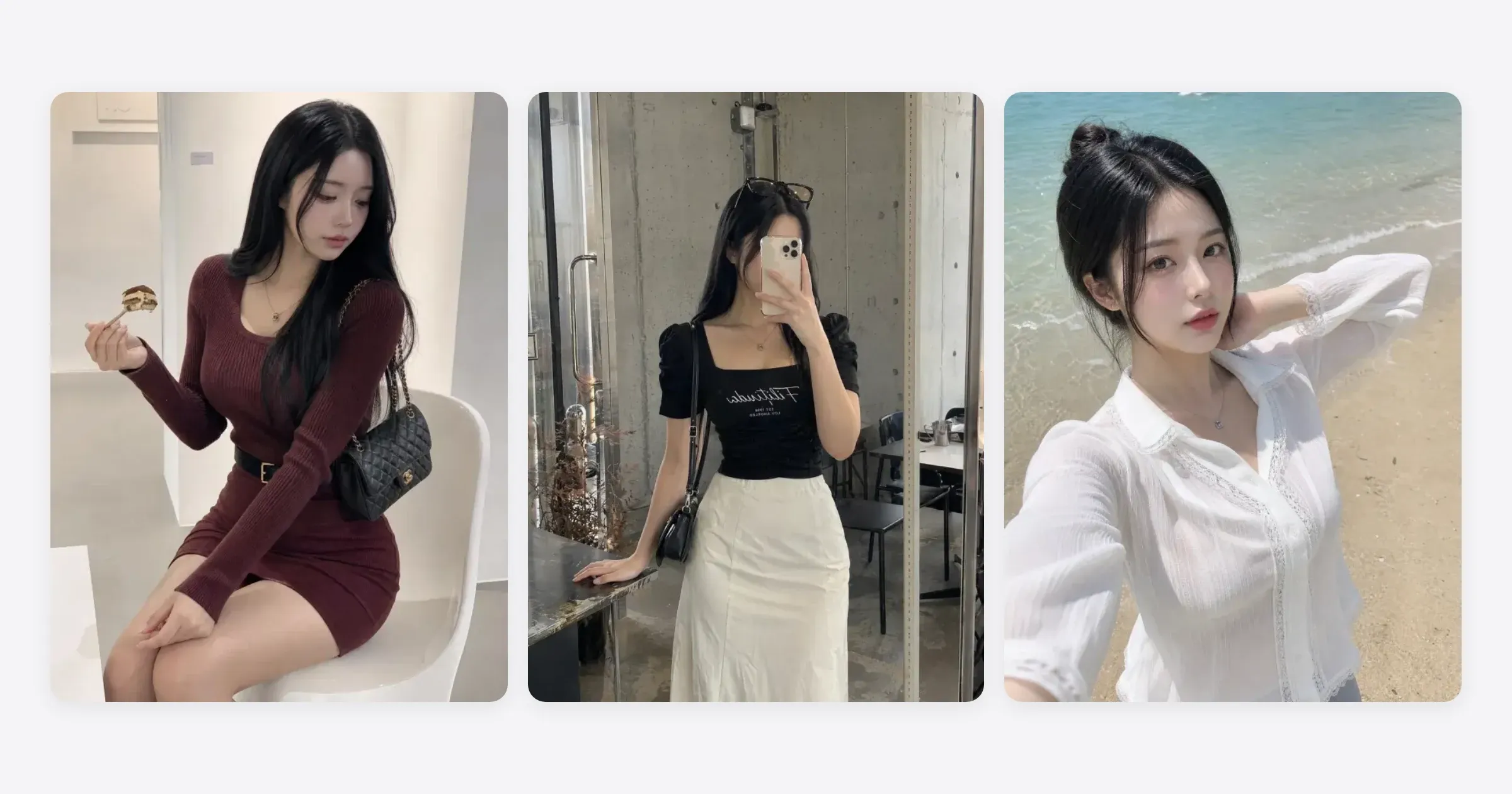
Creating an AI influencer comes down to three steps. ① Decide on a face and an identity, ② make photos with that same face, ③ run the account with a daily feed. It used to mean hopping between several image tools and tuning prompts; now all three steps take one click each, no prompts. This guide doesn't stop at making one — it covers how to actually run the account afterward.
What is an AI influencer, and why did SNS accounts change in 2026?
An AI influencer is a fictional person — someone who doesn't exist — running an SNS account. The posts look like photographs, but everything from the face to the background is AI-generated, so there are no shoot schedules and no modeling fees. For a brand it's an ad model; for an individual it's an account you can run without showing your own face.
Two things made this a realistic option only recently. First, keeping the same face across images finally became reliable. Before that, the face drifted a little with every new photo, which made it hard to read as the same person. Second, tools arrived that don't need prompts at all: you pick a category and the tool combines the location, outfit, and pose for you. The LILIT team writing this runs two AI influencer accounts of its own (60K and 140K followers), and both run on exactly this setup.
Step 1: Decide the face and the identity
The first thing to do isn't to make a photo — it's to decide who this person is. Gender, age range, mood (fresh, chic, natural, and so on), hairstyle, and the kind of followers you want to attract. Settle that first and every photo afterward stacks in one direction. Skip it and the feed turns into a pile of pretty pictures.
LILIT's Create a character flow walks you through this like a guided course. You pick the basics, then the first-impression mood, then hair; face candidates appear, and once you choose one, the full-body shot is completed from it. There's no prompt box.
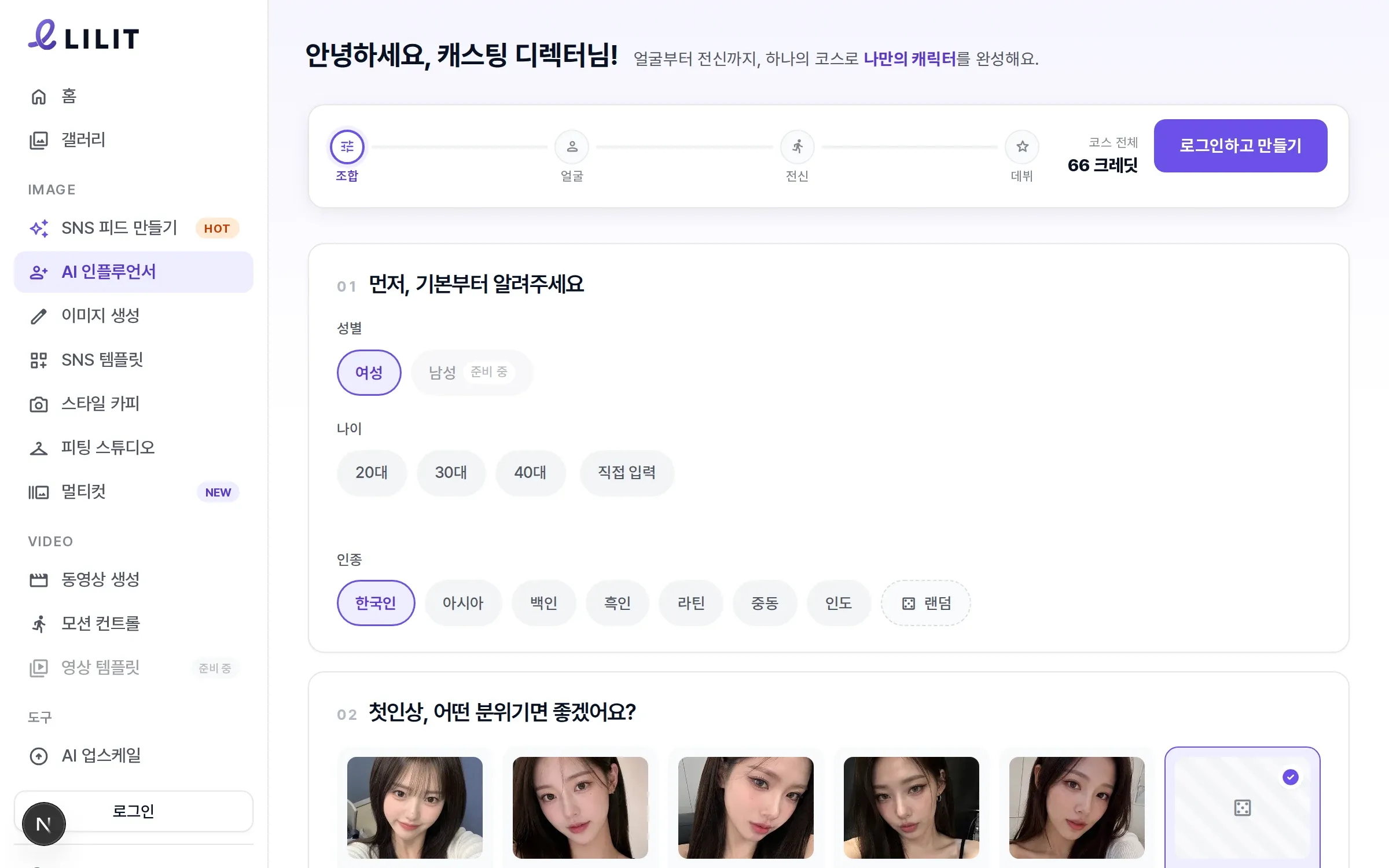
As a checklist:
- Write the gender, age range, and mood in one line (e.g. mid-twenties, natural, someone who likes cafés and long walks)
- Decide the kind of photos you'll mostly post (everyday snaps / fitness / home & casual / editorial)
- If there's a real person you want to reference, take only the mood, never the face
Step 2: Keep the same face — consistency is everything
The "quality" in a high-quality AI influencer isn't resolution — it's consistency. The most common reason an AI influencer account fails is that the face changes from photo to photo. Followers follow a person, not a photo style, so when the face wobbles the account's identity wobbles with it.
The cause is simple: ordinary image generation draws a new person every time. Feed it the same prompt and you get someone else. To prevent that, the tool has to remember the person's features — and until recently that meant a separate model-training step.
In LILIT, the character you made in step 1 is saved to your account, and everything you create afterward — feed photos, fitting, Multicut, video — works from that character. The same face holds with no training of your own. And when a photo turns out well, you can Save as character to make that shot the reference.
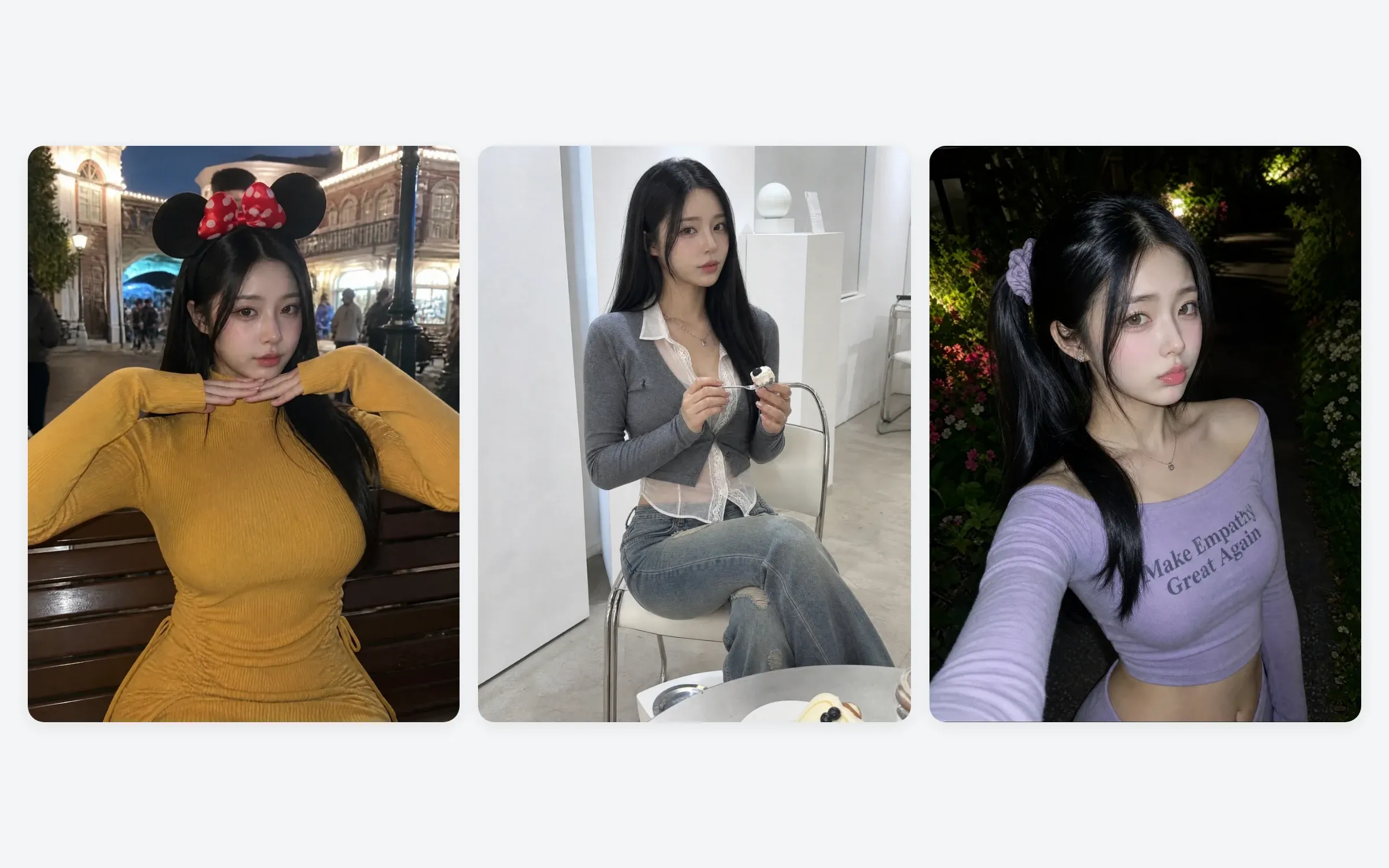
Step 3: Make your first feed — photo, caption, and hashtags at once
With the character ready, it's time to make something to post. In LILIT's Create SNS Feed you pick a category (Everyday, Fitness, Home & casual, Editorial) and click — that's it. Location, outfit, pose, and framing are combined differently every time, and the caption and hashtags come out with the photo. Plenty of tools hand you the image and leave the words to you, but once you're actually running an account, writing a caption every day is more of a chore than making the picture.
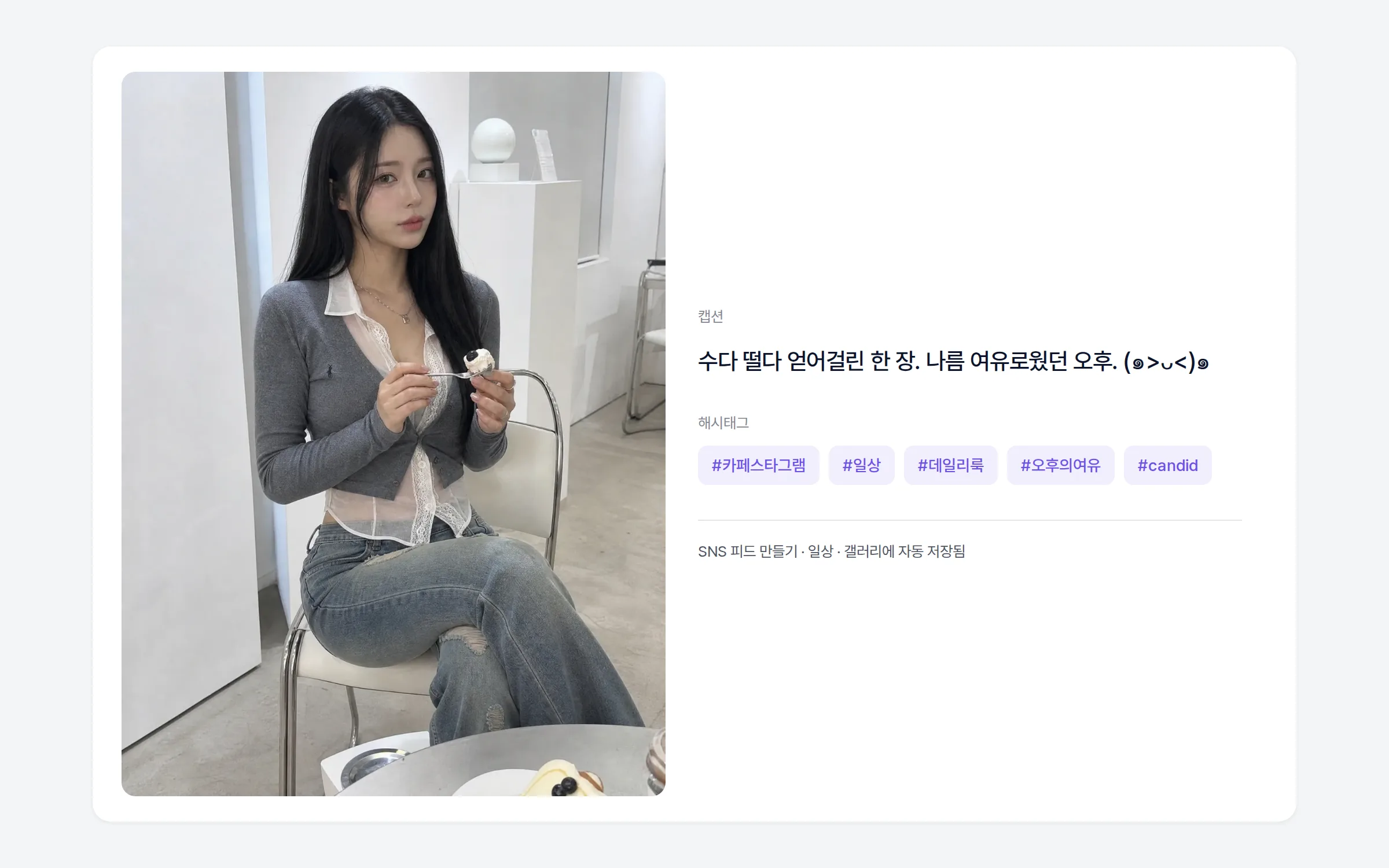
One photo takes a few minutes. Click, go do something else, and it's waiting in the Gallery when you come back. For your first feed, this is the order we'd suggest.
- Make three or four shots in the same category first (it sets the account's first impression in one direction)
- Pick the one you like and Save as character to lock in the reference face
- From there, start mixing categories
Step 4: Post every day — one photo a day builds the account
An account isn't something you build, it's something you run. What accounts that gain followers have in common is simple: something goes up every day. That's exactly where an AI influencer has the advantage. There's no shoot, so you can make next week's photos on a Sunday and post one a day.
The goal for month one is a single thing: one photo a day, thirty days. One a day for a month beats ten on day one. Algorithms and followers both look for consistency. Create SNS Feed gives you a new combination every day, so you won't run out of material, and since the caption and hashtags come with it, posting takes a few minutes.
Monetization comes after that routine has stacked up. Once you have some followers, work starts coming in — sponsored wear shots, brand ad modeling, shop lookbooks — and at that point the fact that you run a consistent account that posts every day is itself the portfolio.
How to keep the feed more varied (Style Copy and Multicut) and how to make sponsored and lookbook shots with a fitting model continue in the next posts in this series.
Rules for running an AI influencer: AI disclosure, platform policy, commercial use
This gets covered less than the making part, but you need to know it.
- AI disclosure: Meta, which runs Instagram and Threads, applies an "AI Info" label to realistic AI-generated content, requires posters to disclose realistic AI video and audio themselves through its disclosure tool, and says it may apply penalties when they don't (Meta announcement, February 2024). Saying in the profile or the caption that this is an AI influencer is safer for the account, and followers tend to respond better to it, not worse.
- No real people, no minors: Making a character that resembles a real person, or one that looks like a minor, is prohibited. The standards are set out in the LILIT Acceptable Use Policy.
- Commercial use: Images you make in LILIT can be used commercially within the scope of the Terms of Service. Before using them for a sponsorship or an ad, check the copyright section of the Frequently asked questions.
- Platform policies change: Labeling methods and disclosure requirements differ by platform and shift over time. Make a habit of rechecking them while you run the account.
Six common mistakes
- The face changes from photo to photo — this happens when you generate fresh every time instead of saving a character. Lock in the reference face in step 2.
- Spending all your time tuning prompts — burn the first week hunting for a good prompt and you'll have nothing to post. Fill the feed through the no-prompt route first, then write prompts yourself once you have a specific scene in mind.
- Making the character resemble a real person — that's a likeness-rights problem and a policy violation.
- Skipping the AI disclosure — if it comes out later, you lose trust. Better to say it from day one.
- Making only the photo and writing captions and hashtags by hand — a few days in, the routine breaks. Use a tool that produces the photo, caption, and hashtags together.
- Posting everything in week one, then stopping — algorithms look for consistency. One a day for a month beats ten on day one.
Frequently asked questions
Can I start creating an AI influencer for free?
Just signing up for LILIT gets you 10 welcome credits. You can also look around the screens first, without signing up at all.
How long does one photo take?
A few minutes. Click, go do something else, and it's saved in the Gallery when you come back.
Can I use the images commercially?
Yes, within the scope of the Terms of Service. For a sponsorship or an ad, check the copyright section of the Frequently asked questions first.
Does the same face really stay the same?
Yes. The character you make is saved to your account, and everything you create afterward works from that character. No separate training is needed.
Can I run an AI influencer account on Instagram?
You can. Just disclose that the content was made with AI — it's better for platform policy and for follower trust alike. Policies change, so check periodically.
Getting started
Creating an AI influencer is three steps: decide the face, make photos with that same face, post every day. All three take one click, no prompts.
Look around without signing up, and if you like it, start with a characterAll example results in this post are AI-generated images based on LILIT's exclusive AI model "Ko Eunchae (@o0neae)." Unauthorized reproduction, redistribution, or commercial use will be dealt with strictly under applicable law.